Complete IT Solutions!

Windows Support Melbourne South-East

Windows Support in Melbourne’s South-East

Windows Problems? Let’s Find Out What’s Actually Wrong.

Laptop Repair

Windows Support That Starts With Finding the Real Problem

windows support Whether Windows is running slowly, refusing to start, crashing, showing errors, failing to update or causing another problem, we diagnose what’s actually happening before recommending the next step. Windows can be frustrating when something goes wrong. Your computer might suddenly become slow. An update may refuse to install. Windows may crash repeatedly. Your PC might get stuck during startup. You could be seeing blue-screen errors, driver problems or strange messages that make very little sense. And sometimes the temptation is simply to reinstall Windows and start again. That isn’t always the right answer. Computerist provides practical Windows support and troubleshooting for home users, professionals and small businesses across Melbourne’s south-east. We diagnose the problem, explain what’s causing it and help you choose the most sensible solution.

Windows Problems We Can Help With

Windows problems can range from a simple configuration issue to a serious hardware failure. Computerist can investigate problems including:

Windows won’t start Windows stuck on startup Slow Windows computer Blue Screen of Death (BSOD) Windows freezing Random crashes Unexpected restarts Windows Update problems Failed Windows updates Driver problems Device errors Software compatibility problems Application crashes Login problems Windows activation issues Performance problems Startup problems Corrupted Windows files Windows installation problems Windows upgrade problems Malware-related problems Internet and network problems Printer problems General Windows troubleshooting You don’t need to know which Windows component is causing the problem. Let us know what your computer is doing. We’ll investigate from there.  Run a recovery program. Reconnect the drive. Reinstall Windows. Format the disk. Try another cable. Search Google for a fix. Unfortunately, some of these actions can make data recovery more difficult. If a storage device is physically failing, continued use can potentially worsen the problem. If files have been deleted, new data written to the drive can overwrite information that might otherwise have been recoverable. And if a computer is showing signs of serious storage failure, reinstalling an operating system can complicate the situation further.

If the information matters, pause before experimenting.

Contact us first and explain what happened.

Windows 11 Support

Windows 11 introduced changes to hardware requirements, security features, system configuration and the overall user experience.

For some computers, upgrading is straightforward.

For others, compatibility needs to be considered before making the change.

We can help with:

Windows 11 troubleshooting

Windows 11 installation

Upgrade assessment

Hardware compatibility

Driver problems

Update problems

Performance issues

Configuration

User support

Application compatibility

If your computer is currently running an older version of Windows, we can also help you determine what your practical options are.

Windows 10 Support

Windows 10 reached its official end of support on 14 October 2025.

If you’re still using Windows 10, that doesn’t necessarily mean your computer suddenly stops working.

However, continuing to use an unsupported operating system can create security and compatibility considerations.

Your options may include:

Upgrade to Windows 11

If the computer meets the requirements, upgrading may be the simplest option.

Replace the computer

If the hardware is too old or incompatible, replacement may make more sense.

Assess the situation

For some environments, particularly older business systems, the correct approach needs to be considered carefully.

Computerist can help you assess the available options rather than simply telling you to buy a new computer.

Windows Won’t Start

A computer that won’t start can be caused by many different things.

The problem might involve:

Windows

Storage

Boot configuration

Corrupted system files

Failed updates

Drivers

RAM

Motherboard

Power

Other hardware

Don’t immediately reinstall Windows.

If important files are stored on the computer, reinstalling the operating system may complicate the situation or put your data at risk.

The first step is to determine why Windows isn’t starting.

Windows Startup Problems

Does your computer:

Get stuck on the Windows logo?

Restart repeatedly?

Show a recovery screen?

Enter Automatic Repair?

Display a boot error?

Take an unusually long time to start?

These symptoms can have different causes.

We’ll investigate whether the problem appears to be:

Software-related

or:

Hardware-related.

That distinction is important.

If the storage device is failing, for example, repeatedly repairing Windows may not solve the underlying problem.

Windows Blue Screen Errors

The dreaded Blue Screen of Death (BSOD) can be caused by a wide range of problems.

Possible causes include:

Faulty drivers

RAM problems

Storage failure

Hardware conflicts

Windows system corruption

Security software

Firmware

Hardware incompatibility

Faulty components

A blue screen isn’t a diagnosis.

It’s a symptom.

The error information can provide clues about what is happening, but the underlying cause still needs to be investigated.
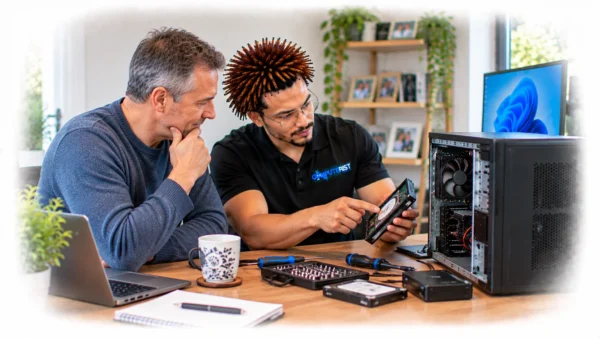
If your computer is repeatedly crashing with blue screens, we can help identify the likely cause.

Slow Windows Computer

A slow Windows computer is one of the most common problems people encounter.

But there isn’t one reason why a computer becomes slow.

It could be caused by:

Ageing storage

Insufficient RAM

Too many startup applications

Malware

Windows configuration

Background processes

Failing hardware

Overheating

Low storage

Driver problems

Software conflicts

Hardware limitations

Don’t assume you need a new PC.

A computer with an old mechanical hard drive, for example, can sometimes be transformed by moving to a suitable SSD.

Likewise, a system with insufficient memory may benefit from a RAM upgrade.

We’ll determine where the bottleneck is before recommending an expensive solution.

Windows Driver Problems

Drivers allow Windows to communicate with hardware.

When a driver becomes corrupted, incompatible or outdated, you may experience:

No sound

Wi-Fi problems

Display issues

USB problems

Bluetooth failures

Printer problems

Device errors

Crashes

Performance issues

Installing the wrong driver can sometimes create more problems than it solves.

We can investigate driver-related problems and determine the appropriate solution.

Windows Software Problems

Sometimes Windows itself is fine.

The problem is an application.

You might be experiencing:

Programs that won’t open

Applications crashing

Software freezing

Installation failures

Compatibility problems

Error messages

Missing dependencies

Conflicting software

We’ll determine whether the issue is Windows, the application or another component of the system.

Windows Malware & Virus Problems

Malware can make Windows behave strangely.

Possible signs include:

Unexpected pop-ups

Browser redirects

Unwanted programs

Excessive advertisements

Unusual system activity

Slow performance

Security warnings

Files being modified

Unexpected network activity

Malware removal isn’t always as simple as installing an antivirus program and clicking “Scan”.

The system may need to be assessed for:

Malicious software

Persistence mechanisms

Unwanted applications

Browser extensions

Account compromise

Security configuration

Computerist can help investigate and clean up many common malware problems.

Windows Login Problems

A Windows login problem can be caused by:

Forgotten credentials

Corrupted user profiles

Account configuration

Windows problems

Network-related issues

Microsoft account issues

Security policies

If the computer belongs to a business, the problem may also involve:

Microsoft 365

Microsoft Entra ID

Domain services

Business policies

That’s where broader IT experience becomes important.

Windows & Microsoft 365

Many Windows computers are now tightly integrated with Microsoft 365. A problem that looks like a Windows issue may actually involve: Microsoft account Microsoft 365 account OneDrive Outlook Teams SharePoint Microsoft Entra ID Authentication MFA Business policies Computerist can investigate the relationship between the Windows device and your Microsoft 365 environment.

Windows Networking Problems

Windows computers depend heavily on connectivity.

You may experience:

Wi-Fi disconnecting

Internet not working

Network drives disappearing

Printers unavailable

DNS problems

Slow network performance

File-sharing problems

Devices unable to communicate

The computer isn’t always the cause.

The problem may be the router, access point, network configuration or another device.

Computerist can investigate the wider environment where appropriate.

print

Windows Printer Problems

Printers can be surprisingly difficult when something changes.

Common problems include:

Printer not detected

Printer offline

Driver errors

Print jobs stuck

Network printer problems

Printing from one application but not another

Scanner problems

We’ll determine whether the problem lies with Windows, the printer, drivers or the network.

Windows Installation & Re-installation

Sometimes a fresh Windows installation really is the right solution.

This can be appropriate when:

Windows is severely corrupted

The system has persistent software problems

Malware has compromised the installation

You’re replacing the storage drive

You’re preparing a computer for a new user

The existing installation is beyond practical repair

But reinstalling Windows isn’t something we recommend automatically.

Before reinstalling, we consider:

Important files

Browser data

Email

Applications

Licences

Drivers

User accounts

Backups

Microsoft 365

OneDrive

Hardware

The objective is not simply:

“Get Windows installed.”

It’s:

“Get the computer back into a usable state without unnecessarily losing the things you need.”

Windows Data & File Protection

Before significant Windows repairs, we need to consider your data.

Your computer may contain:

Photos

Documents

Financial records

Business files

Email

Browser information

Work projects

Application data

If the storage device is showing signs of failure, repairing Windows may not be the first priority.

Sometimes data preservation needs to come first.

Windows Support for Home Users

You shouldn’t need to become a Windows technician just because your computer has developed a problem.

Whether you’re dealing with:

 A slow PC

Windows errors

Updates

Wi-Fi

Printing

Malware

Startup problems

Software issues

we can investigate the problem and explain the solution in plain English.

Windows Support for Small Businesses

Windows devices are still at the centre of many small-business environments.

A single computer problem can affect:

Staff productivity

Email

Microsoft 365

Business applications

File access

Printing

Customer service

Network access

Computerist can provide troubleshooting and technical assistance across individual Windows devices and the wider business environment.

Our experience includes supporting endpoints, Microsoft 365 environments, networks, security systems and business infrastructure.

Windows Computer Upgrades

Sometimes Windows isn’t the real problem.

Your hardware may simply be holding the computer back.

Depending on the system, upgrading:

SSD

RAM

Storage

Cooling

Other  components may provide a much better result than replacing the entire computer.

We’ll assess the hardware and explain what is realistically possible. For official Windows troubleshooting, updates and support guidance, see Microsoft Support — Windows Help

What Happens When You Contact Computerist?

1. Tell us what’s wrong

Explain what you’ve noticed.

No technical knowledge required.

2. We investigate

We’ll determine whether the problem appears to be:

Windows

Software

Hardware

Network

Security

Microsoft 365

Or a combination.

3. We explain what we’ve found

We’ll tell you what is happening and what your options are.

4. You decide

We’ll explain the likely costs and implications before significant work proceeds.

5. We fix the problem

Once you’ve approved the solution, we’ll carry out the appropriate work and test the system.

How Much Does Windows Support Cost?

Windows support can range from a straightforward configuration problem to a complex hardware or operating-system failure.

The cost depends on:

Nature of the problem

Time required

Hardware involved

Software

Data requirements

Whether recovery is necessary

Whether the computer requires an upgrade

We prefer to understand the problem before quoting a final repair cost.

That means you’re making a decision based on the actual problem rather than an attractive but unrealistic advertised price.

Windows Repair or Reinstallation?

That’s Why We Diagnose Before Recommending

A Windows problem doesn’t always mean Windows needs to be reinstalled. We first look at what is actually causing the problem, whether it’s software, drivers, updates, malware, storage, hardware or configuration. Where possible, we’ll work towards fixing the underlying issue rather than simply starting again.

Repair

Fix the underlying Windows or hardware problem.

Reinstall

Start with a clean Windows installation where appropriate.

Upgrade

Upgrade the computer’s hardware so it can continue to meet your needs.

Replace

If the computer is simply too old or unsuitable for modern requirements, replacement may be the sensible option.

We’ll help you understand the difference.

Why Choose Computerist?

We don’t treat every Windows problem as a Windows problem

Real-World IT Experience

Straightforward Explanations

Practical Solutions Without Unnecessary Work

A computer crashing could be Windows. It could also be: RAM SSD overheating malware drivers power motherboard network Microsoft 365 another application Our broader IT experience means we look at the entire environment rather than automatically reinstalling the operating system.

Practical explanations

Technology doesn’t need to sound complicated.

We’ll explain:

What’s happening.

Why it’s happening.

What can be done.

Whether it’s worth doing.

No Fix, No Fee

Where applicable, Computerist operates a No Fix, No Fee approach.

The exact conditions depend on the type of service, so we’ll explain them before proceeding.

Our Experience Matters!

We understand the difference between fixing a computer and protecting its data

When a computer fails, the instinct is often to get the computer working again as quickly as possible. But if the computer contains important files, getting it working is not necessarily the first priority. The first priority may be protecting the information stored on it. That distinction matters.

We explain the situation honestly

Data recovery can be stressful.

You don’t need someone making unrealistic promises.

We’ll explain:

What appears to have happened

What can potentially be recovered

What risks exist

What options are available

Whether specialist recovery may be appropriate

What the likely next steps are

Then you can make the decision.

No Fix, No Fee Guarantee

Where applicable, Computerist operates a No Fix, No Fee approach. The exact conditions depend on the nature of the work, so we’ll explain them before proceeding.

Local Windows Support in Melbourne’s South-East

Serving Melbourne’s South-East

Computerist provides Windows Support across Melbourne’s South-East, including Noble Park, Springvale, Dandenong, Clayton, Keysborough & Dandenong South. We may also support surrounding south-eastern suburbs where the service requirement is suitable.

Need Windows Support?

Whether Windows won’t start, is running slowly, crashing, refusing to update or causing another frustrating problem, Computerist can help diagnose what’s happening and explain the most sensible next step.

NO FIX, NO FEE*

We charge an hourly rate for the time spent working on your technology. If we’re unable to resolve the problem, you won’t be charged for the diagnostic or travel component.

*Some exclusions and conditions may apply. We’ll explain applicable charges before work begins.

Get Your Questions Answered

Often, yes. The appropriate solution depends on the underlying problem. If Windows can be repaired without reinstalling, we will consider that option first.

Yes. We can investigate startup failures involving Windows, storage, drivers, boot configuration and hardware.

We can investigate recurring BSODs and look for likely causes such as drivers, hardware faults, memory, storage or system corruption.

Often. We first identify what’s slowing it down. The solution could involve Windows optimisation, malware removal, storage, RAM, cooling or another hardware/software issue.

If the hardware meets Microsoft’s requirements, we can assist with the upgrade. If the computer isn’t suitable, we’ll discuss alternative options.

Windows 10 reached its official end of support on 14 October 2025. Continuing to use it after that date carries security and compatibility considerations. We can help assess your upgrade or replacement options.

Yes. We can investigate update failures, installation errors, repeated updates and related Windows problems.

Yes. We can investigate device and driver issues involving graphics, sound, Wi-Fi, Bluetooth, printers and other hardware.

Sometimes, but there is always a risk when performing significant operating-system work. Important data should be backed up before reinstalling where possible.

We can investigate and clean up many common malware and virus infections. If there’s evidence of account compromise, we’ll also advise you on additional security measures.

Yes. Computerist can assist with Windows endpoints alongside Microsoft 365, networks, security and other business IT systems.

Depending on the problem, on-site, remote, workshop or pickup options may be available.